Plan it, share it, run it with your AI
Woden Service Desk
One board to plan your work and share it with customers. Run it with your own AI. One flat price, never per person.
Free for 3 boards, 1 repo, 2 agents and 5 customers. No credit card.
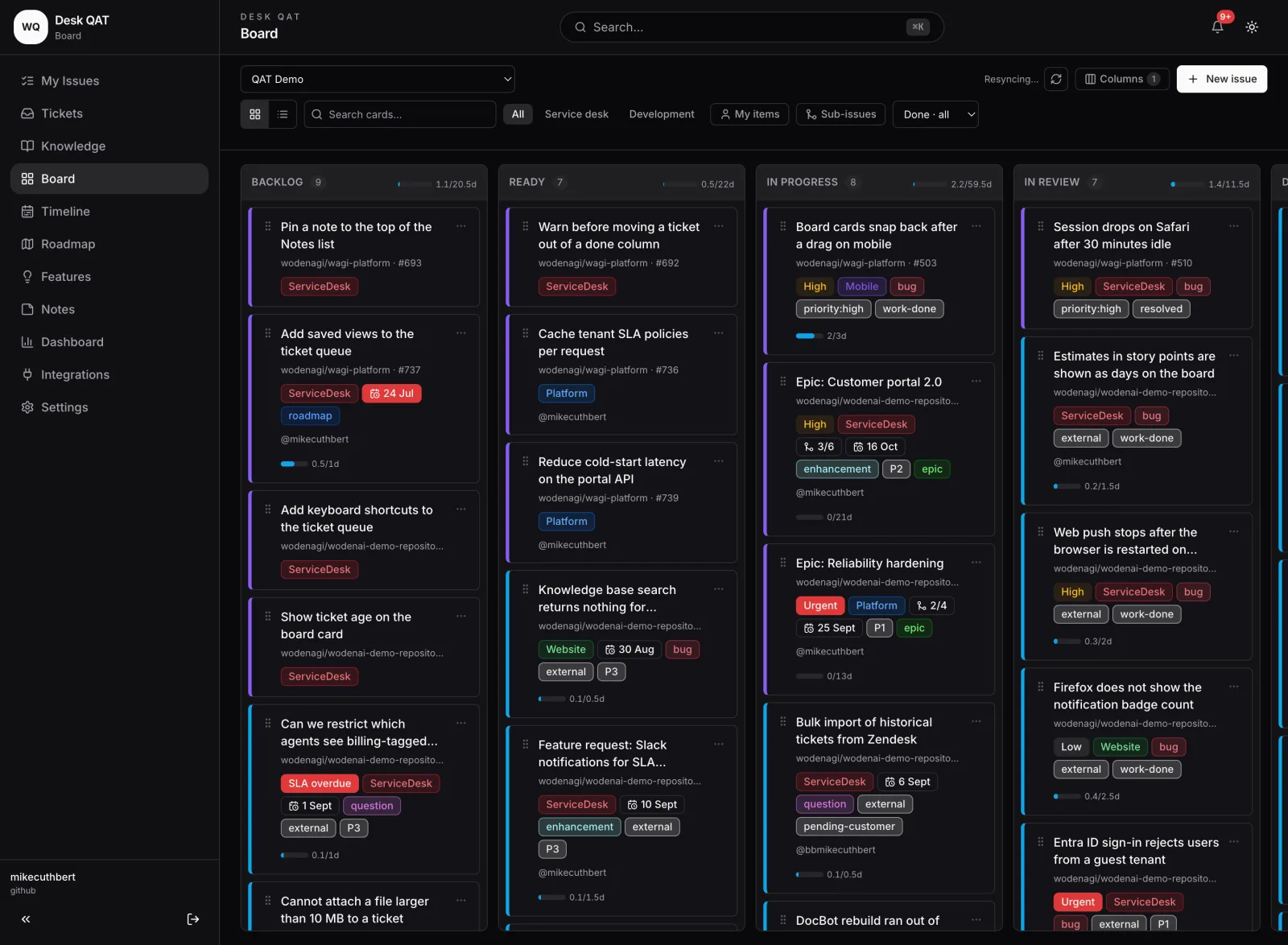
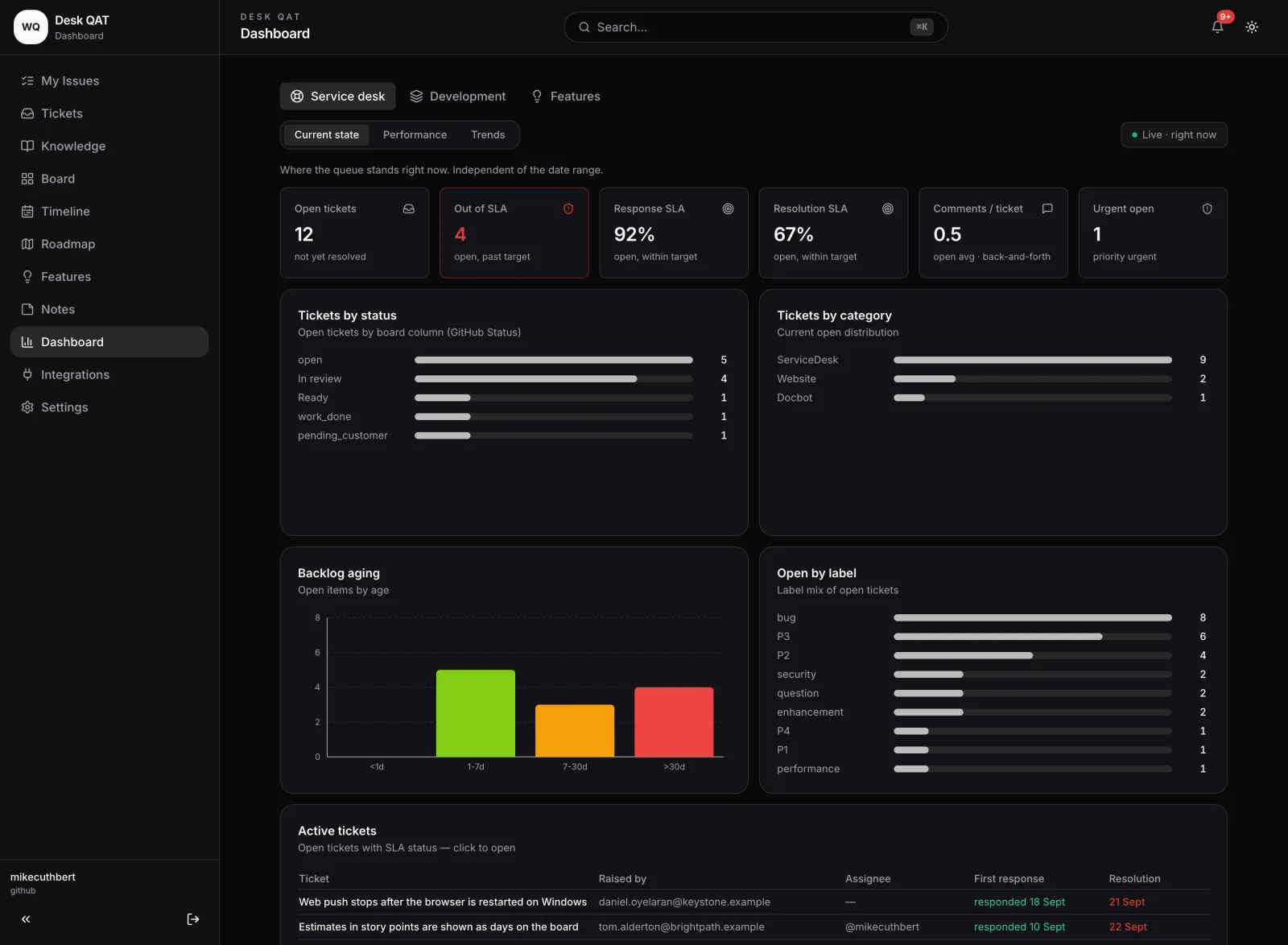
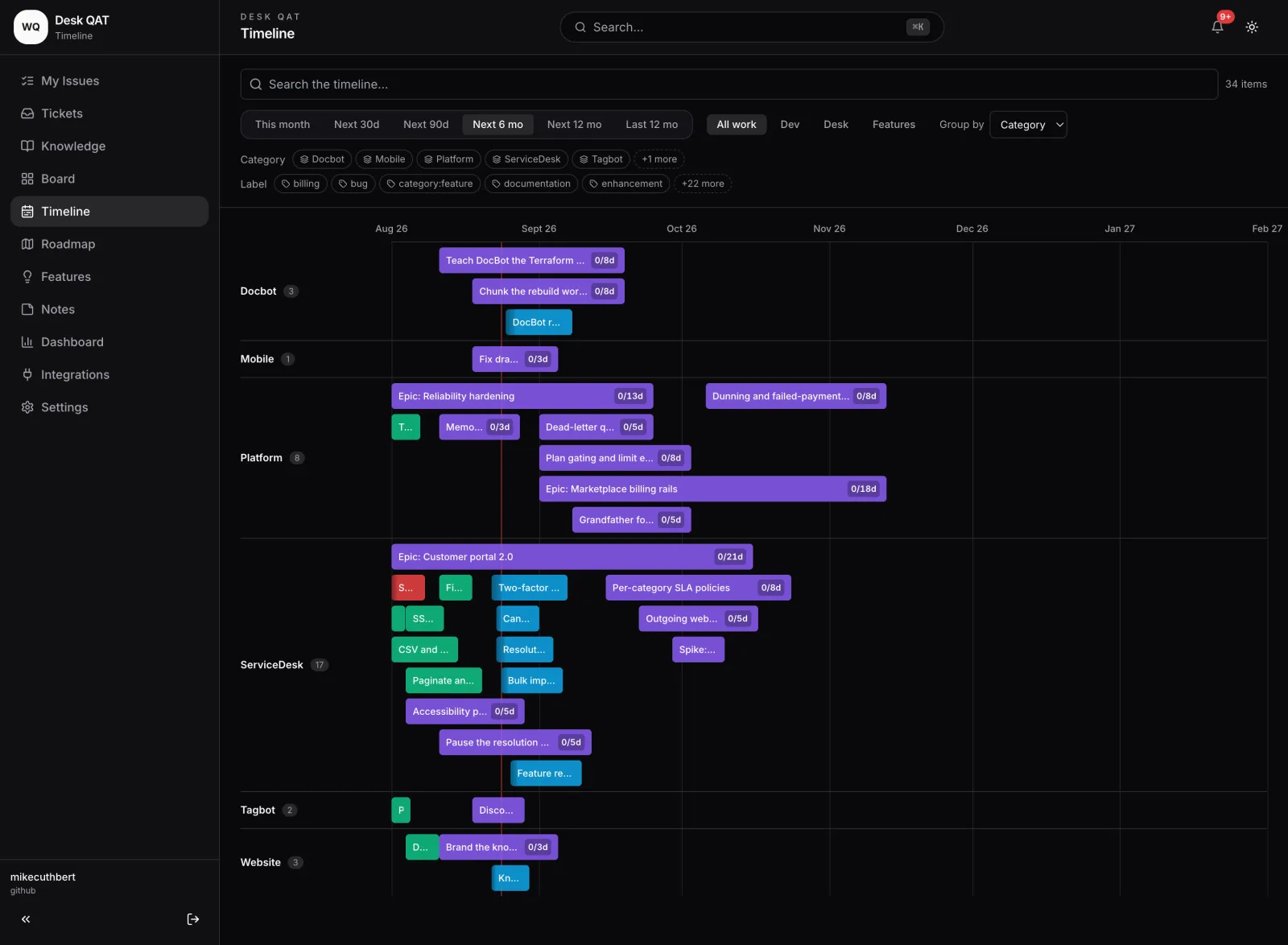
One board for support and development
Why teams start here
Free to start, ready to grow
Sign up at desk.woden-ai.com with email or Google. Every feature is on every plan.
Free to start
No credit card. Then one flat price, never per person.Your customers, built in
A branded portal for tickets, feature votes and your roadmap.Simple board to real planning
Start with drag and drop. Add a timeline, sub-issues and estimates.AI-native, with your AI
Connect your own AI assistant or coding agent. Woden runs no AI.
Your team works in GitHub? Install it from GitHub instead.
How it works
Up and running in three steps
Start free
Sign up with email or Google. No credit card.
Invite your customers
Share your portal link. They sign in with email or Google.
Plan it with your team and your AI
One board, a timeline and SLAs, worked by people and AI.
AI-native, with the AI you bring
Run your desk with your own AI
Connect any AI assistant or coding agent that supports MCP. Revocable any time, on every plan. Woden runs none.
Manage the work
Raise, update and plan tickets. Break an epic into sub-issues.Ask about your numbers
It reads the same figures your dashboard shows.Hand off to a coding agent
It picks up a development ticket and reports back.Your access, your name
It sees only what you can see, and acts as you.Admins draw the line
Switch a capability off for the whole organisation.Hard limits
It never replies to customers, or deletes or closes their tickets.
Woden-run AI is planned for the Advanced plan. It is not built yet.
Who it is for
Any team that does work for someone
Freelancers
One board and a tidy place for client requests.Agencies and studios
Many clients, one branded portal.Small teams
A timeline and estimates when cards are not enough.Support desks
Tickets, SLAs and a knowledge base. No per-agent fees.Development teams
Support and development work on one board.
For your customers
A portal with your name on it
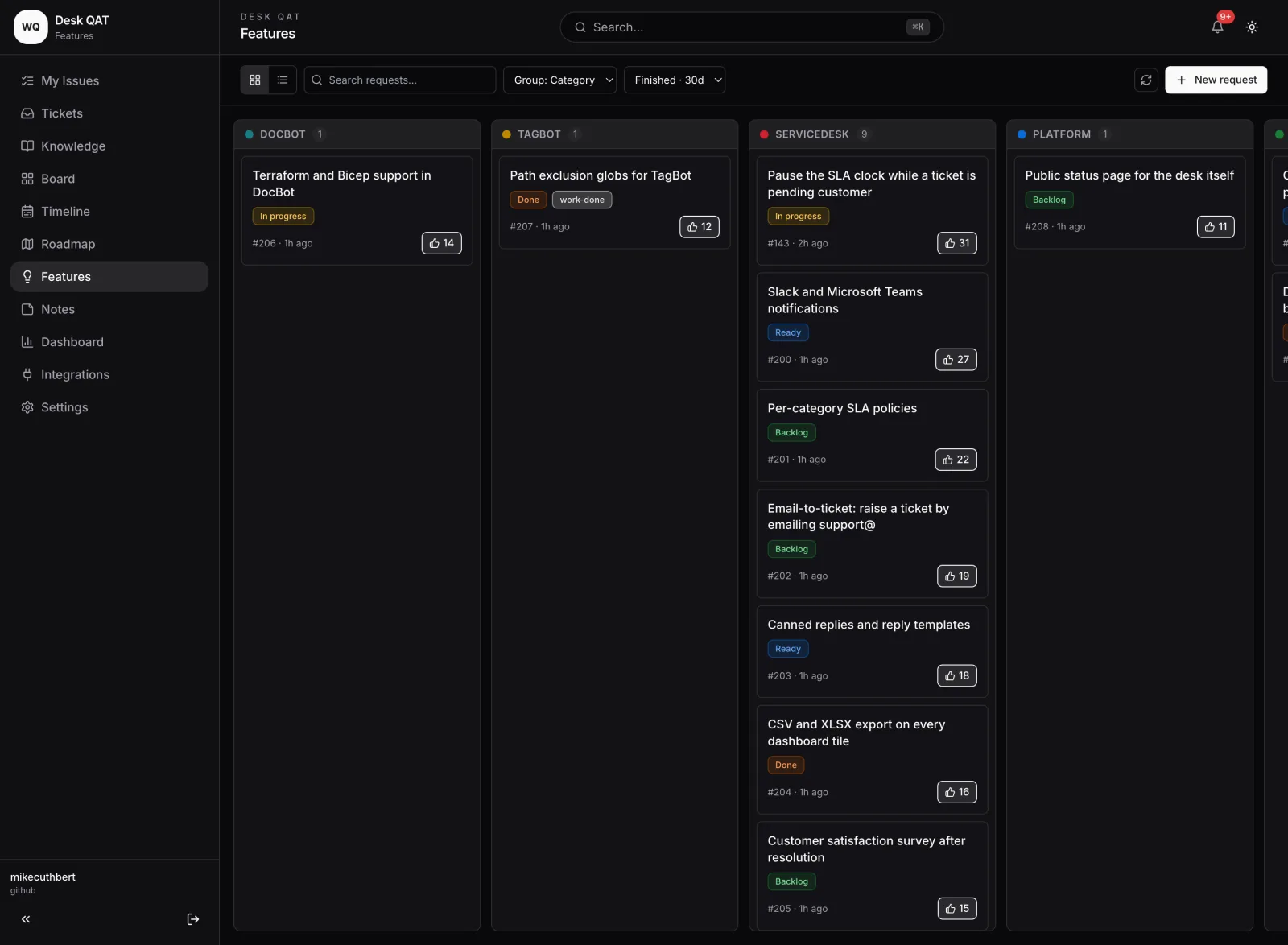
Customers raise and follow tickets, read your help articles and vote on what comes next.
- Tickets they can follow Raise, track and reply to their own tickets.
- Your intake form Text and select fields, so you get the detail first time.
- Knowledge base Articles and release notes, with search and tags.
- Votes and a roadmap One vote per person, and a read-only roadmap.
- Your brand Your name, logo, colours and address. On every plan.
- Installs as an app On phone or desktop, with push notifications.
For your team
A simple board first, real planning later
Customer tickets and your team's own work on one board. Grow without changing tools.
- One board Drag and drop. Add, rename and reorder columns.
- Timeline A Gantt view. Drag a bar to reschedule.
- Sub-issues and estimates Estimate in hours, days or story points.
- Time tracking A timer or manual entries, and a Time page for your day and week.
- SLAs that warn first Breach alerts, plus a warning one hour before.
- Team notes Private or shared. Lock one with a passphrase.
Insights
Numbers for stand-ups and reviews
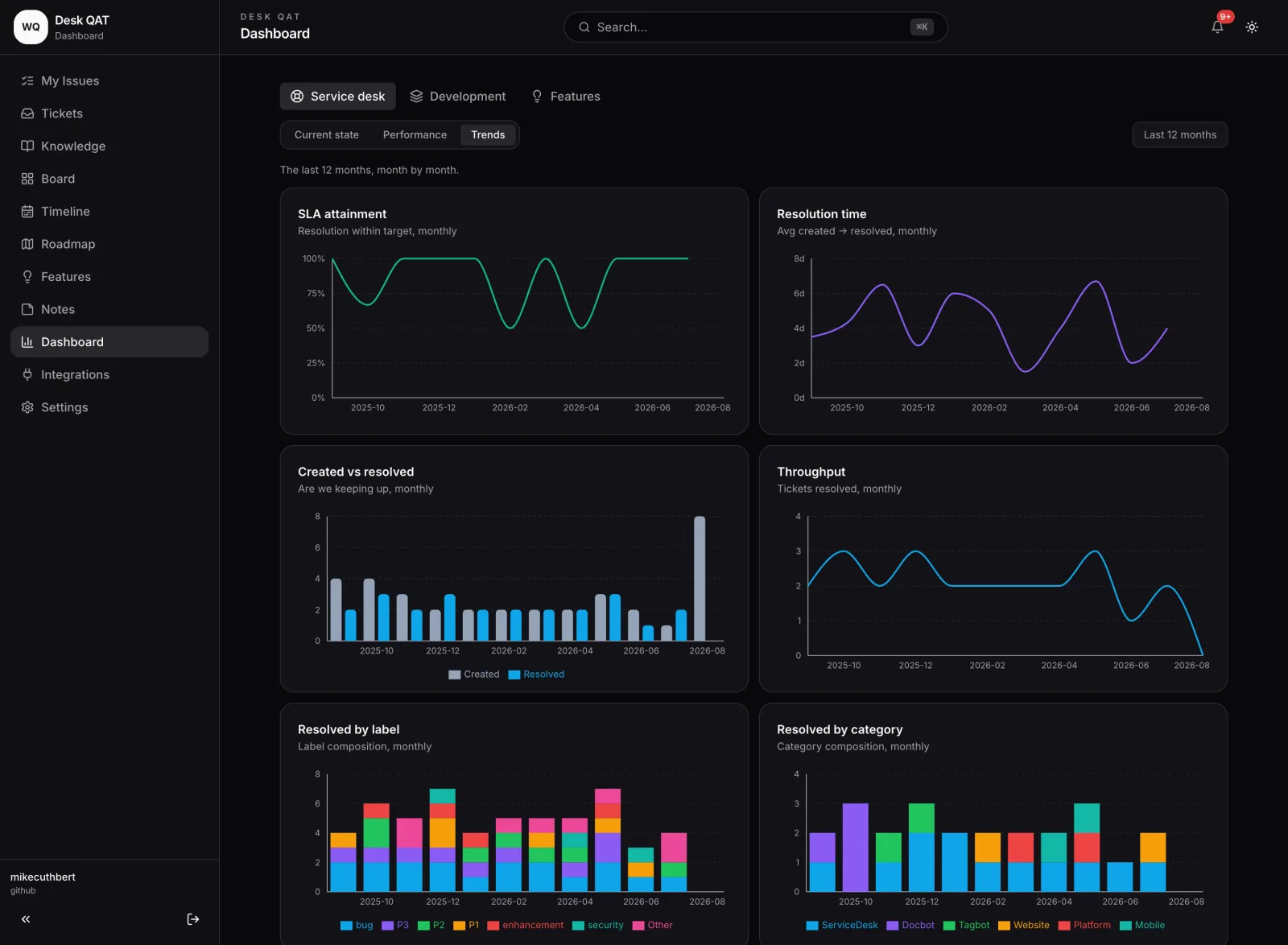
Live, period and twelve-month views for the service desk, development, or both.
- Live Backlog, ageing and SLA attainment, right now.
- Period Created, completed, lead time and estimate accuracy.
- Trend Twelve months of throughput, velocity and SLA attainment.
For teams that work in GitHub
GitHub, kept in step both ways
Install from GitHub Marketplace
- Issues, both ways Title, state, labels, assignees and comments stay in step.
- Your Project board Board moves and dates follow your GitHub Project.
- Sub-issues and branches They come with it, alongside a repo knowledge base.
- Never waits on GitHub The desk saves the ticket first, then pushes it.
Pricing
One flat price, two ways to pay
Every feature on every plan. Nothing charged per agent, per seat or per user.
GBP · billed by Paddle
Paid to us directly
Monthly or annually, with a free trial. No paid GitHub seats needed.
USD · billed by GitHub
Through GitHub Marketplace
If you install from GitHub. Install during early access and Pro is free for good.
Questions
Frequently asked
Is it only for software teams?
No. It is for any team that does work for someone. Start with a simple board and a customer portal; the development features and GitHub are there if you want them.
What do my customers need to sign in?
Just an email address. They sign in with email and password or Google, matched by verified email. One person can be an agent on one desk and a customer on another.
Can I use AI to manage the desk?
Yes, your own, over MCP. Under your name and access it plans and updates work and reads your figures. It never replies to a customer, deletes a customer ticket, or resolves or closes one. Woden runs no AI.
Do I need GitHub?
No. Sign up and the desk holds your tickets and board. If your team works in GitHub, install it from GitHub Marketplace and each ticket stays in step with a GitHub issue.
Does the price go up as we add people?
No. Every plan is one flat price for the organisation. Unlimited and Advanced put no cap on admins, agents or customers. Free and Pro have limits, which paid plans lift.
Is every feature on every plan?
Yes. Paid plans lift limits; they do not unlock features. The exception is the Advanced plan's Woden-run AI and automation, which are not built yet.
How do SLAs work?
One policy per priority sets response and resolution targets, within business hours you define. You get a breach alert and a warning one hour before. There is no holiday calendar yet.
Does Woden read my source code?
No. With GitHub connected, it reads only the markdown you publish to the knowledge base. Your desk data is stored in Azure UK South.
See it
The portal and the board
Real screens from the app. Select one to look closer.
You can leave
No lock-in, and that is literal
Ticket numbers and links never change. With GitHub connected, your issues stay in GitHub and you can export your data.
Trust
What we store, and what we do not
Hosted in Microsoft Azure, UK South
We never read or store your source code
GitHub access: Issues, Contents, Projects, Metadata only
Short-lived GitHub tokens; webhooks that fail closed
Woden never holds your password
Self-service export (with GitHub) and deletion
The full list, and what we do not claim, is on the security page.
Plan the work. Share it with your customers.
Free to start. No credit card.
See also the setup guide, pricing, security and support.